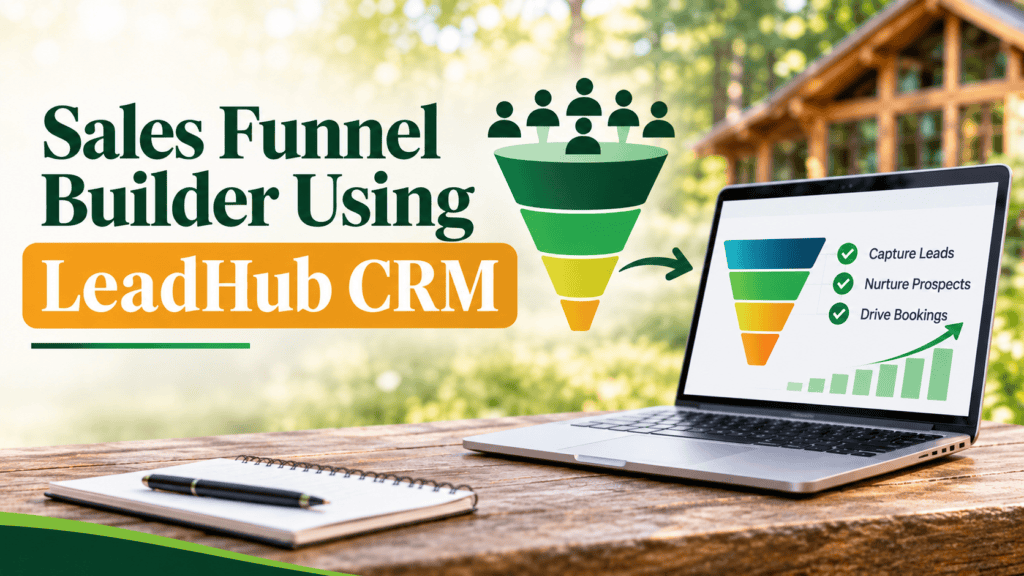
LeadHub CRM is a complete customer relationship management platform. This article covers its Sales Funnel Builder and how it helps you guide visitors from a first click to a real inquiry.
The ads are running. Your website looks good. People click through, poke around for a minute and leave. And it’s hard to tell which page lost them.
A sales funnel builder helps by giving visitors one clear path from first click to inquiry. In LeadHub CRM, you build that path, connect it to your contacts and see how each step performs.
Disconnected Pages and Forms Are Hurting Your Bookings
If your landing page lives in one tool, your forms in another and your contacts somewhere else, every gap between them is a place where an inquiry can get lost. It’s also hard to see where it happened.
Having a clear structure can make a real difference. HighLevel reported in 2025 that companies using a structured sales funnel to nurture leads see a 50% increase in sales-ready leads over companies without one.
Visitors feel the gaps, too. A family checking summer camp dates and a pastor planning a fall retreat can land on the same general page and have to figure out the next step themselves.
How LeadHub Simplifies Building Your Funnel
LeadHub keeps your pages, forms and contacts in one place. You build the funnel, add a form and decide what happens after someone signs up, without connecting separate tools to make it work.
That’s the advantage of funnel builder software that’s also your CRM. Each submission lands in your contact list right away, and our guide to automated workflows shows how follow-up can run from there.
Key Features and Benefits
You don’t need technical knowledge to use these features. Here’s what each one does and why it matters.
Drag-and-Drop Pages and Ready-Made Templates
A drag-and-drop landing page builder and editable templates let you create funnel pages without code. Starting from a sales funnel template saves you from designing every page from scratch, and the templates are built to work on phones.
Multi-Step Funnels from First Click to Thank-You Page
Each funnel links its steps in order, such as a landing page, an opt-in form and a thank-you page. You can see the whole path in one view and preview it before it goes live on your own domain.
Forms That Feed Your CRM
Opt-in and booking forms connect directly to LeadHub, so each submission becomes a contact record. Nobody has to copy names and emails by hand, and each inquiry is ready for follow-up right away.
AI Help with Headlines and Copy
Built-in AI can draft headlines, page copy and calls to action for your funnel pages. You start with a draft to edit instead of a blank page.
Conversion Tracking for Every Step
Funnel analytics show the conversion rate for each step, where your leads came from and where visitors drop off. When inquiries slow down, you can see which page to look at first.
A/B Testing to Find What Works
A/B testing lets you compare two versions of a page, such as two different headlines. Your decisions about what to change come from your own results, not guesswork.
Practical Example: How a Retreat Center Improves Its Booking Funnel
Picture a retreat center with a new midweek package for church groups. Its ads send people to the homepage to search for details. A few leaders ask questions through the contact form, but the team can’t tell how many left without asking.
With LeadHub, the team could set up a lead generation funnel for that one package, using our guide to high-performing landing pages to plan the first page. It might look like this:
- A landing page built from one of LeadHub’s funnel templates, with photos and package details
- A short form for group size, preferred dates and contact information
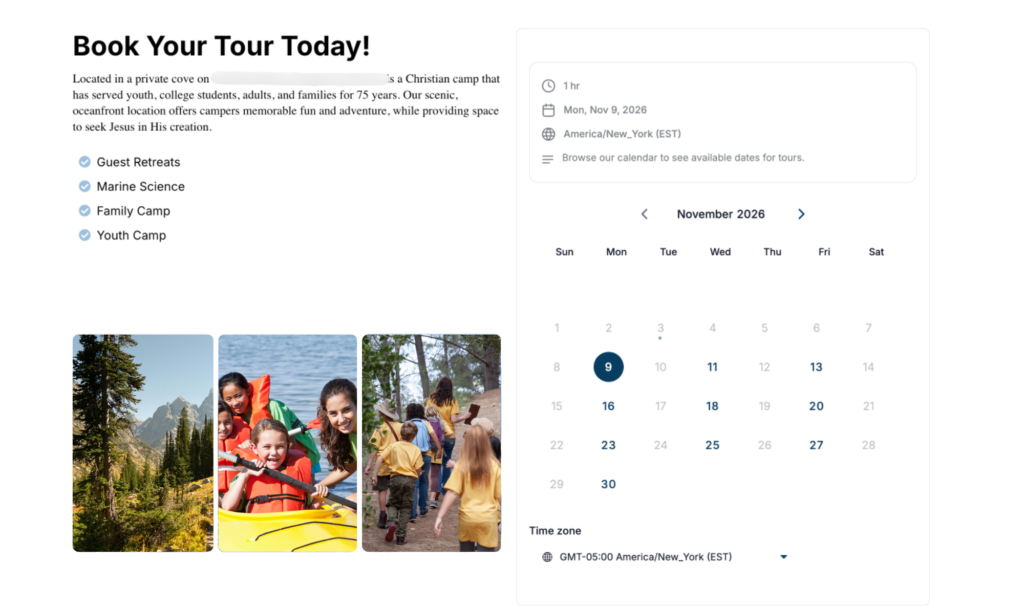
- A thank-you page that confirms the request and invites the group leader to book a campus tour
- Each submission tagged in LeadHub so the team can follow up
After a few weeks, the funnel’s reports could show which step loses the most visitors. If many people leave at the form, the team could try a shorter version and compare how many groups complete it.
When Your Funnel Becomes Centralized, Growth Follows
Good sales funnel software shouldn’t feel complicated or pushy. It gives visitors a clear next step and sends their inquiries to a place your team will see them.
LeadHub’s sales funnel builder does that without extra tools or code. You can see which ads and pages bring in inquiries and focus your time on the groups who are ready to book.
Simplify Your Funnel Building with LeadHub CRM
Getting visits but not enough inquiries? A connected funnel could help. Let’s talk about what one could look like for your team.
FAQs
What is a sales funnel builder?
A sales funnel builder is a tool for creating the linked pages, forms and follow-up steps that move a visitor from a first click to an inquiry or purchase. LeadHub’s builder uses drag-and-drop editing and templates, so there’s no code to write.
Why is a sales funnel builder important for service businesses?
It lets you build a focused path to one offer without hiring a developer. Your website covers everything, while a funnel walks visitors toward one next step. It also shows where people drop off, so you know where to make changes.
How does a sales funnel work?
A funnel moves visitors through linked steps, like a landing page, a form and a thank-you page. In LeadHub, each form submission becomes a contact. Once you build a sales funnel, you preview it and publish it to your own domain.
How often should I test and update my funnel?
Check your step-by-step stats regularly, and take a closer look after you launch a new offer or ad campaign. Change one thing at a time, like a headline or the length of a form, so you know what made the difference.
Can LeadHub build and manage funnels for my team?
Yes. Funnel Builder is part of the LeadHub Pro plan, and our team installs and configures LeadHub, builds your templates and trains your staff. Your funnels share a CRM with your lead capture and tracking, so everyone follows up from one place.